ChatGPT 101: How It Understands and Responds to Prompts
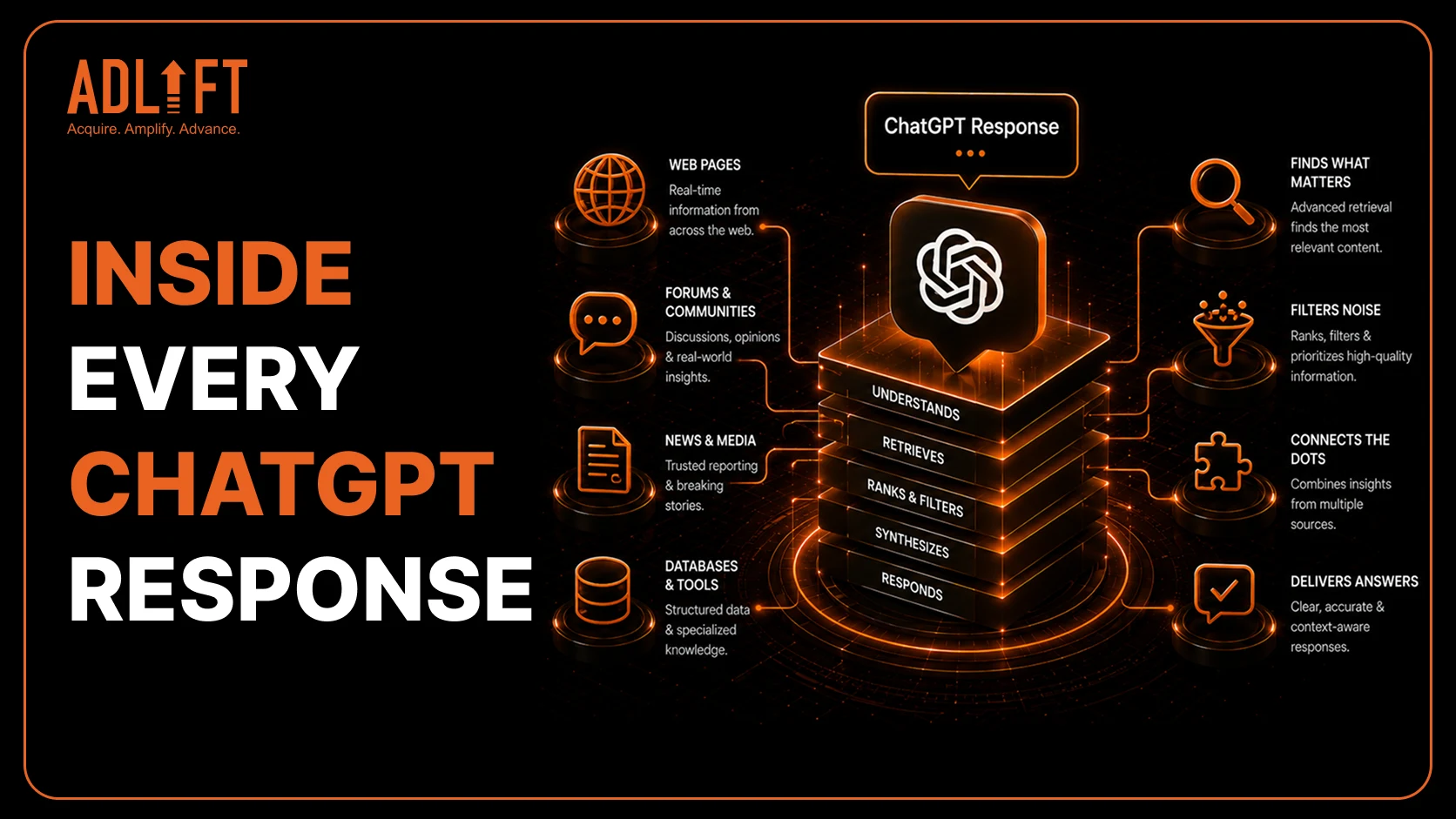
ChatGPT is now widely used for search, writing, research, learning, and workplace tasks. With over 700 million weekly active users, ChatGPT has quickly become part of daily digital behavior. In 2026, 49% of U.S. adults had used AI chatbots, while 44% had used ChatGPT.
Many users ask how ChatGPT works because the tool feels conversational. You enter a question, instruction, or idea, and it responds in natural language within seconds. However, each response follows a structured process. ChatGPT reads the prompt, identifies the task, uses the context provided, processes text as tokens, and creates a response step by step.
This blog explains how ChatGPT reads prompts, uses context, processes tokens, and creates responses in a simple, beginner-friendly way.
Why Understanding ChatGPT Matters
ChatGPT is no longer used only for casual questions or quick experiments. In 2026, 54% of U.S. adults aged 18–29 and 53% aged 30–49 used chatbots to search for information, showing how strongly AI tools are becoming part of everyday research behavior.
The tool is also becoming common at work. Over a quarter of U.S. workers report using ChatGPT for work, and OpenAI notes that it is used across industries, job functions, and company sizes.
This makes it important to understand how ChatGPT works before relying on responses for writing, research, planning, or decision-making. When users know how prompts, context, and tokens shape the answer, they can ask better questions and review outputs more confidently.
How ChatGPT Reads a Prompt
ChatGPT does not read a prompt the way a person reads a sentence. It processes the input as text patterns and breaks it into smaller units called tokens. These tokens can include full words, parts of words, spaces, and punctuation.
Once the prompt is broken into tokens, ChatGPT looks at the signals inside the request. These signals include the task, topic, tone, format, audience, examples, and constraints. A prompt such as “Explain AI” gives limited direction, so the answer may stay broad.
A more specific prompt, such as “Explain AI in 100 words for beginners,” gives ChatGPT clearer instructions. It tells the model the topic, length, and audience. This is why prompt clarity matters when learning how ChatGPT works. Clear prompts help ChatGPT understand what kind of response the user actually needs.
What Happens After You Press Send?
After you press send, ChatGPT receives the prompt and breaks it into tokens. These tokens become the input the model uses to understand the request. OpenAI explains that prompt tokens are the tokens entered by the user, while completion tokens are the tokens generated in response.
ChatGPT then studies the instruction, topic, and surrounding context. It predicts the most useful next tokens and builds the response step by step. This means the answer is not copied from one fixed paragraph or pulled from a single database.
When users ask how does ChatGPT work, the simple answer is that ChatGPT processes the prompt, studies the context, and generates text based on patterns it has learned. The clearer the prompt is, the easier it becomes for ChatGPT to create a relevant and useful response.
Why Context Changes the Response
Context tells ChatGPT what kind of answer the user needs. A short prompt may give the model a basic direction, but it may not explain the purpose, audience, tone, or level of detail expected. This is why the same topic can lead to very different responses.
For example, “Write about electric cars” is too broad. ChatGPT may create a general explanation covering benefits, costs, charging, and environmental impact. However, “Write a 700-word beginner guide on electric cars in US English” gives the model clearer instructions about length, audience, language, and content depth.
Context also helps ChatGPT adjust the structure of the answer. A student may need a simple explanation, while a marketer may need a blog outline, and a business leader may need a strategic summary. Clearer context leads to clearer, more useful, and more relevant responses.
What ChatGPT Can Help With
ChatGPT can support different everyday, academic, and workplace tasks when the prompt is clear. Some common use cases include:
Writing Drafts
ChatGPT can help create first drafts for blogs, emails, captions, reports, product descriptions, and other written content. Users can guide the tone, length, format, and audience to make the output more relevant.
Summarizing Long Content
Users can ask ChatGPT to summarize articles, notes, reports, transcripts, or research material. This helps reduce long information into key points that are easier to review.
Explaining Difficult Topics
ChatGPT can simplify complex subjects such as AI, finance, marketing, technology, science, or business concepts. It can also adjust the explanation for beginners, students, professionals, or technical readers.
Brainstorming Ideas
ChatGPT can help generate topic ideas, campaign angles, blog outlines, social media hooks, FAQs, and content structures. This makes it useful during early planning or creative exploration.
Comparing Options
Users can ask ChatGPT to compare tools, products, strategies, ideas, or approaches. It can organize the comparison by features, pros, cons, use cases, or decision factors.
Organizing Notes
ChatGPT can turn rough notes into structured outlines, tables, summaries, action items, or clean paragraphs. This is useful for students, marketers, researchers, and business teams.
ChatGPT usage has expanded across industries and job functions, with over a quarter of U.S. workers using it for work. OpenAI’s 2026 data also shows broader adoption across age groups, with users over 35 gaining share in early 2026. This makes prompt understanding important for anyone who wants clearer and more useful responses.
What ChatGPT Cannot Always Do Perfectly
ChatGPT is useful for many tasks, but it can still make mistakes. Users should understand its limits before using responses for important work.
Vague Prompts Can Lead to Guesswork
If a prompt is too broad, ChatGPT may guess the user’s intent. For example, “write about marketing” does not explain the audience, format, goal, or tone. A clearer prompt gives the model better direction.
Missing Context Can Affect the Answer
ChatGPT can only use the information available in the prompt and conversation. If the user leaves out important background, the response may feel incomplete, too general, or slightly off-topic.
Recent Information May Need Verification
For recent news, prices, laws, product updates, events, or changing regulations, ChatGPT may need updated sources. Users should verify time-sensitive information before relying on it.
Confident Answers Can Still Need Review
Sometimes, ChatGPT may give an answer that sounds polished but still needs checking. This is why human review is important, especially for business, academic, legal, financial, or medical decisions.
Human Judgment Still Matters
ChatGPT can speed up writing, research, planning, and explanation, but it should not replace critical thinking. Strong prompts, source checking, and careful review help users get safer and more useful results.
Simple Prompt Formula for Better Answers
A strong prompt gives ChatGPT enough direction to understand what the user wants. Instead of writing a very short or vague request, users can include the task, context, audience, format, tone, and constraints.
Start With the Task
Begin by telling ChatGPT exactly what to do. The task may be to explain, rewrite, summarize, compare, brainstorm, draft, translate, or organize information. A clear task helps the model understand the purpose of the response.
Add Useful Context
Context gives ChatGPT background information. For example, a user can mention the topic, goal, target reader, industry, or situation. This helps the response feel more specific instead of generic.
Define the Audience and Tone
The same topic can be explained differently for beginners, students, marketers, managers, or technical readers. Users can also ask for a friendly, professional, simple, persuasive, or conversational tone.
Set the Format
Users should mention whether they want a paragraph, listicle, table, email, blog outline, caption, FAQ, or step-by-step guide. This makes the final response easier to use.
Include Clear Constraints
Constraints help ChatGPT follow specific requirements. These may include word count, language style, keywords, examples, points to avoid, or a preferred structure. For example, instead of asking, “Explain how ChatGPT works,” a stronger prompt would be: “Explain how ChatGPT works in 500 words for beginners. Use US English, short paragraphs, simple examples, and avoid technical jargon.”
This formula helps ChatGPT understand the goal more clearly. Better prompts usually lead to clearer, more relevant, and more useful responses.
Understand ChatGPT by Writing Better Prompts
ChatGPT works by reading prompts, processing tokens, using context, and generating responses step by step. Although the tool feels conversational, the quality of the answer depends heavily on the clarity of the prompt.
This is why users who understand how ChatGPT works can get better results from the tool. A clear prompt gives ChatGPT direction, while a vague prompt leaves more room for guesswork. Adding context, format, tone, and constraints helps the response become more useful and easier to apply.
As ChatGPT adoption grows, prompt literacy is becoming an important digital skill. Students, professionals, marketers, researchers, and business teams can all benefit from learning how to guide the tool properly.
Start with a clear task, add useful context, define the format, and guide ChatGPT toward the answer you actually need.